

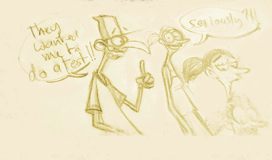




Welcome to animation crapoland!
Posted on May 22, 2006 |
Leave a Comment
Filed under Animation Mentor
Mood of the week:
“I should rename this blog, Welcome to Animation Crapoland”
Everything is going wrong again. I am on the verge of giving up animation but I still think that I have an eye for animation and it is only the beginning of my training. The full training is 18 month so the way it is, it looks like I will only to be able to animate at the end of class4. That really sucks, I was hoping to get a job in animation by septembre which is a very important deadline for me, but so far I have nothing to put on my showreel except the boucing ball assignment and the Stu poses. Forget about holidays, this is gonna be animation in my bedroom for the entire summer.
This is my refined “jump on box” assignment. The first one has nothing to do with what Robert asked for and the second one is the real assignment. As you can see, the first one is actually more polished than the second one but well…. animation mental block, this is what it is called.

Jordi’s game if coming out soon, go and check why I get depressed when I see other people’s work. The fight sequences are keyframed, no mocap. Heavenly Sword. Yes Seb, that’s the game we saw at the Autodesk 3december event.
Robert just sent me an email asking why I didn’t put my video ref for next week’s assignment….the pressure in on again….
It’s more convenient!
Posted on May 22, 2006 |
Leave a Comment
Filed under Miscellaneous
Funny how people would rather go for something convenient than something better.
Why do we go to Mac Donalds instead of cooking some fresh food bought from the local market?
Why do we listen to Mp3 when CDs have got a much better sound quality?
Why do we buy TFT screens when the traditional CRT screen has got got more vibrant colours and a much higher responsive time?
Has the world lost its mind?
DV card anger – Pyro Basic DV vs Pinnacle DV
Posted on May 22, 2006 |
Leave a Comment
Filed under IT
I will elaborate a bit more on this soon but as a summary, I bought the Pinnacle basic DV card last week and after trying to get it to work for more than 6 hours I gave up and decided to try to return it to Dixons on Oxford Street. Guess what, the shop changed name and is now called Curry. The DV card was bought 18 days ago which would normally exclude it from the Refund/return scheme. Surprisingly it was very easy to have it swapped for a Pyro DV card, I just said the product was faulty when it was probably a problem with shitty drivers. Since 95% of PC World/Dixons/Currys staff has no clue about the stuff they sell (except expensive Insurance covers), they just accepted the return. No clue about what they sell? Ask them if their DV camera can shoot full frame or if there Tape player do NTSC playback.
Don’t be fooled and buy a Pinnacle product thinking that with the forum they have if you run into a problem it will be quickly sorted out. I plugged the Pyro card and XP recognised it righaway, no drivers needed. Altogether that was 8 hours wasted instead of 8 hours of animation.
Ice Age 2 Q&A
Posted on May 16, 2006 |
Leave a Comment
Filed under Animation Mentor

We have been lucky to have a Q&A with Blue Sky’s Ice Age 2 crew tonight. 650million dollars at the box office in few weeks, they must have done something right, the “story is everything” thing has been challenged again…
That was very fun and we learnt few things. They looked half the age of most of AM students so the pressure is on.
Ballie goes skateboarding
Posted on May 11, 2006 |
Leave a Comment
Filed under Miscellaneous

Here is something I am working on, this is gonna be good if I can pull it through!!
Regarding my renders, why do they always look so ugly? Well blame Maya for that. Maya is a highend animation software so it doesn’t do what 95% of 3d animators need: A RENDER TO QUICKTIME THAT WORKS!!!! Maya doesn’t even render to Quicktime 😉 you actually need to render an avi playblast first then import it in an editing software then export it to quicktime. Talking about an artist friendly software 😉
Arcs and overlap
Posted on May 11, 2006 |
Leave a Comment
Filed under Animation Mentor

This is an example to illustrate Arcs and overlap between the body and the foot, use the left and right keyboard keys to flip through the drawings.
Illusion of life
Posted on May 10, 2006 |
Leave a Comment
Filed under Animation Mentor

It is finally here !!!!
I thought it would be a clever move to order it through the american Amazon but it took 5 month for the book to arrive in my hands!!! At the end of the day I got it just before the acting class which is good and I only paid $44.53 for it, shipping included! Not bad eh!
“The Illusion of Life! is regarded as the Bible of Character Animation, so what is all the fuss about? I will tell you in my next post.
Animation Mentor session 205
Posted on May 9, 2006 |
Leave a Comment
Filed under Animation Mentor
Long time no see. Last week was a very important week for me. After failing my walk cycle assignment last term I didn’t really get the chance to experiment too much with animation workflow so this week was the time to get my hands dirty.
This term is about body mechanics but also the time to find our animation workflow. We have been shown different refining techniques from the entire GE (Graph Editor) workflow (Pixar’s Victor Navone) to the 2d animation one (Chicken Little’s Jason Ryan) and it is time to apply them and pick the one that makes more sense to us.
I was very busy last week so couldn’t really push the refining as far as I wanted but I think that I am seeing the light now.
Watch out that space and you might get to see some interesting stuff in here very soon.
So what have I got for you this week.
180 turn partial refining:

Jump up onto a box and off the other side video ref.:

Week 205 blocking, animating in 3d is doable, you just have to check your perspecive, front, back, left and right view but what about animating in 3d for a locked camera? This is this week challenge, I haven’t found the answer yet but Robert will probably share is thought on thursday.

AM week 204
Posted on April 25, 2006 |
1 Comment
Filed under Animation Mentor

my comments for this week.
I bought Microsoft ergonomic keyboard to try to improve some problems with my wrist. It is taking a bit of time to get used to it but I feel much better already, my wrist has stopped cracking when I type. One problem though, it takes so much space that the wacom doesn’t really fit anymore.
The 180 degree turn is much harder than I initially thought despite the *** star warning. I was pleased with my first blocking but Robert pointed at few things to change or improve. While fixing them for the reblock I introduced some new errors and raised few new issues. I am actually glad I am making some mistakes, this is all very beneficial. Sometimes you can be very lucky and nail your animation rightaway but your lack of experience will eventually catch up with you so don’t be shy or ashamed of making mistakes, your mentor is here to help you out.
We have now access to Stu with no arms and Ballie with arms, Ballie looks a bit ugly with his 2 new appendices but he is already very funny to play with and I started to block a run cycle the same day. I am not too sure which assignement I am gonna take. I used to go for the hardest assignement but I really wonder this time, they all seem plenty of fun. Since I never finished my walk cycle last term maybe that I should go for the run cycle this time…

Animation Mentor session 202
Posted on April 17, 2006 |
Leave a Comment
Filed under Animation Mentor
Here is my blocking based on Session 201 thumbnails. As you can see I pushed the poses a bit more so it doesn’t look like rotoscoping anymore.
There are 2 parts I am not very happy about (begining and end). Robert will probably put the finger on it. It is too late to do a correction for AM but it is still time for my blog.
Reference:

Blocking:

I didn’t give myself enough time for this assignement, thinking that I could nail it under an hour but I couldn’t be more wrong. Blocking is actually a fun exercise and I should have started earlier that week.
Session 203 is the first pass of refining. We have been told about different techniques to work on a shot, I am still a bit confused so I will just give you some keywords: Jason Ryan, copy pairs, Rick O’connor technique. This blog is a good thing, this made me realised that maybe I should do a bit of research about those techniques!!
-
Search
-
-
Links (mostly outdated)
- A Commentary
- Alberto Cerriteno
- Alfo S.
- Alison
- Andrea Blasich
- Andy Thomas
- Animation archive
- Animation mentor
- Anna Yamazoe
- Arte y Animación.
- Asifa Hollywood
- Avalanche Software
- Big Screen Animation blog
- Bobby Chiu
- Bonvoyage airlines - Bonvoyage airlines webdesign agency
- Box Office Mojo
- Brad Kinley
- Brandon Beckstead
- Brock Gallagher
- Brock-O-Rama
- Carmelo
- Cartoon Brew
- CGIndia
- Chad Sellers
- Char Blarg blog
- Character animation studio
- Character design blog
- Character design notes
- Chicken Toast
- Chris Davis
- Chronicles of an animator - David Martinez blog
- Conceptart.org - messy forum as usual but you can find some gems
- Deja View
- DJ - He is not a real DJ but that’s his name anyway
- DMCA
- DNA guys
- Drawn
- Enrico Casarosa
- Erlend
- FEED
- Feng Zhu
- Florian Satzinger
- Framefilter
- fxguide
- Golgoth13
- Henry Sanchez
- Jamaal Bradley
- Jason Schleifer
- JimHillMedia
- John K - this is not John Khars here but Ren and Stimpy John Kricfalusi. I am not too fan of the cartoon but
- Joost
- Keith Lango
- Kenny Roy
- Kris Staber
- Kris Staber
- leif jeffers
- Lines and colors
- Maciek Gliwa
- Manfred Ragossnig
- Mark Behm
- Martin K
- Matt Williames
- Mayerson on Animation
- Micha
- MichaelBarrier.com
- Mike Stern
- Milo
- Morgan Kelly
- Nikola Tamindzic - Party photographer
- Passion Pictures
- Peer Lemmers
- Rad How To
- Ray Chase
- Rebecca's blog
- Richie Prado
- Robert Barros
- Rok Andic
- Ross Burt
- Saddington & Baynes
- Sebastien Lasserre
- Spline Bomb
- Spline doctors - They are not really doctors but they will help you cure all your spline problems
- Spungella - Jean Denis Haas blog
- Stephen Silver
- Studio AKA
- Studio Soi
- Subdivision modeling
- Syndicat des producteurs de films d'animation newsletter
- TAG blog
- the A files
- The Art Center
- The art of Dave Pimentel
- The Berzerker
- The CA Blog
- the Plausible Impossible
- Timbo
- Timbo
- Toby Shelton - Dreamworks storyboard artist
- TWEAK!
- Uli Meyer
- Vincil
- Visual news
- Vulcan studios
- Wesley Louis
- WireImage
- Zbrush central
- Ziggy


